


Kahoot! Play & Create Quizzes
4.715.62K Reviews
App Specs
- Version
- 6.6.8
- Updated On
- License
- Free
- Downloads
- 50,000,000+
- Developer
- Kahoot!
- Categories
- Education
- Platform
- Android, iOS
Screenshots
 Analysis by AppCompare
Have you ever found yourself in a situation where you wanted to make learning fun? Well, I recently stumbled upon Kahoot! Play & Create Quizzes, and let me tell you, it’s a game-changer! It turns the mundane task of learning into an engaging and interactive experience. Whether you're an educator, a student, or just someone who loves trivia, this app is definitely worth checking out.
Getting Started with Kahoot!
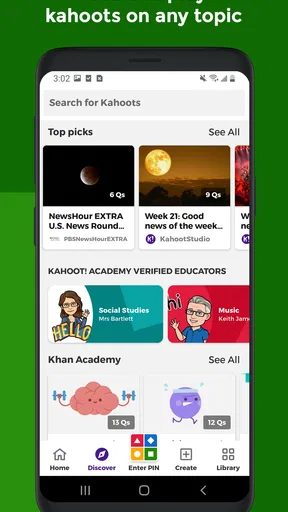
The first thing I noticed when I opened Kahoot! Play & Create Quizzes was its user-friendly interface. It’s like the app is saying, "Hey, come on in! Let’s have some fun!" You don’t need to be a tech genius to navigate through it, which is always a plus.
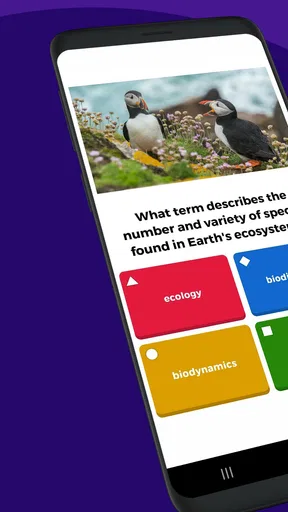
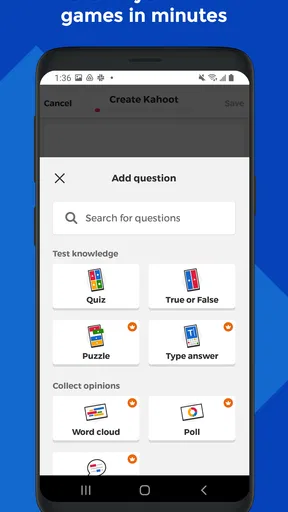
Once you're in, you can either jump straight into a game by joining a live quiz or create your own. The app makes it super easy to set up a quiz. You can add questions, set time limits, and even throw in some images for good measure. Honestly, I felt like a quiz master in no time!
Playing and Creating Quizzes
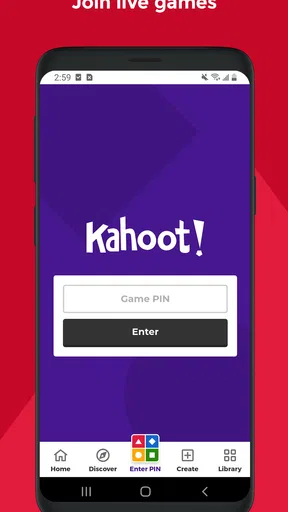
Playing a quiz is as simple as pie. You either enter a PIN to join a live game or choose from a plethora of existing quizzes on various topics. The adrenaline rush you get while answering questions against the clock is something else. It’s a fantastic way to test your knowledge and learn new things.
Creating quizzes is equally exciting. You can personalize your quizzes to fit your needs, whether it’s for a classroom setting or a family game night. It’s like you’re crafting your own little trivia universe. Plus, you can share your quizzes with others, which adds a social element to the mix.
The Social Aspect
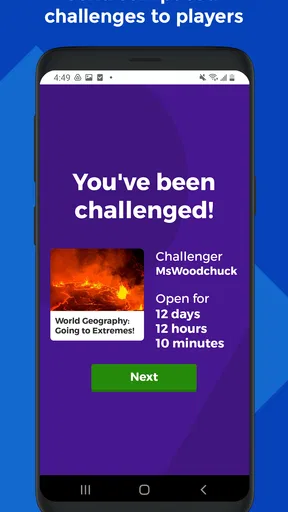
One of the coolest features is the ability to play with friends or strangers around the world. It’s like hosting a virtual quiz night without the hassle of setting up a venue. The app supports live games with up to thousands of players, which is perfect for large classrooms or community events.
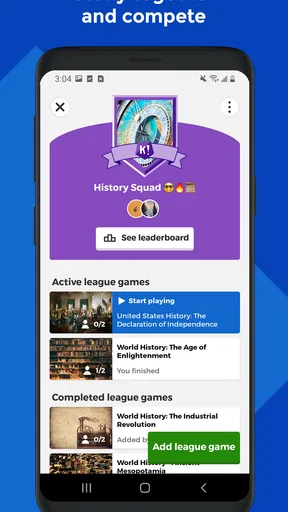
And let’s not forget the leaderboard. Competing for the top spot adds a competitive edge that keeps you coming back for more. Trust me, once you start climbing that leaderboard, it’s hard to stop!
Worth Reading Before You Choose

Baby Panda World Brings Quick Play to Modern Phones, but Its Game Library Feels Busy

ESPN’s Live Game View Makes Following Close Games Easier

QuizzLand Review: A Good Fit for Short Trivia Breaks, Not Every Player

Basketball Stars: Multiplayer Is Fast, but Can It Recover When Matches Go Wrong?

WEBTOON Turns Phone Updates Into a Better Reading Routine

Link to Windows Runs on Shared Habits, Not Social Feeds
Educational Value
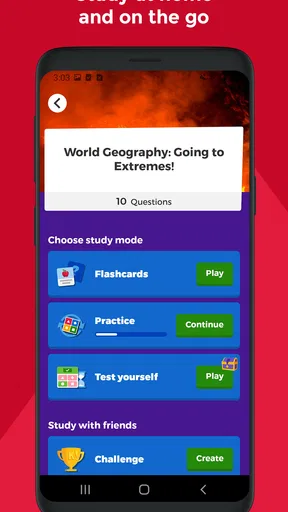
On the educational front, Kahoot! is a powerhouse. It’s not just about fun and games; it’s a fantastic tool for teachers and educators. The app provides a platform to deliver educational content in a format that students enjoy. It’s engaging, interactive, and aligns with various educational standards.
Students tend to retain information better when they’re actively involved in the learning process, and Kahoot! makes that possible. It’s also a great way to conduct assessments and gauge understanding without the stress of traditional testing methods.
Final Thoughts
All in all, Kahoot! Play & Create Quizzes is a must-have app for anyone looking to make learning fun and interactive. It’s easy to use, packed with features, and offers endless possibilities for creativity. Whether you’re looking to boost your knowledge or just have some fun, this app delivers on all fronts.
So, what are you waiting for? Grab your phone, download the app, and dive into the world of quizzes. You’ll be hooked in no time!
Pros
- Interactive learning tool for all ages.
- Easy to create custom quizzes quickly.
- Engaging for classroom and remote learning.
- Wide variety of topics and quizzes available.
- User-friendly interface with vibrant design.
Cons
- Limited features in the free version.
- Requires stable internet connection.
- Ads can be distracting for users.
- Some quizzes have outdated information.
- In-app purchases can add up quickly.
FAQs for Kahoot! Play & Create Quizzes
What is Kahoot! and how does it work?
Kahoot! is an interactive learning platform that allows users to create quizzes and play them in real-time. Users can join a game by entering a unique code on their devices. The platform is popular for educational purposes, enabling teachers to engage students through quizzes, polls, and challenges. It can be accessed via the app or a web browser.
Is Kahoot! free to use, or are there any costs involved?
Kahoot! offers both free and paid plans. The free version includes the essential features for creating and playing quizzes, while premium subscriptions provide additional features like advanced reports, detailed analytics, and more customization options. These subscriptions are ideal for schools, businesses, and users who need more robust functionalities.
Can I use Kahoot! offline, or is an internet connection required?
Kahoot! primarily requires an internet connection to create and play quizzes, as it is a live platform that syncs responses in real-time. However, the Kahoot! app does have a feature for playing quizzes offline. This allows users to download quizzes in advance and play them without an internet connection, though real-time interactions will be limited.
Is Kahoot! suitable for all age groups?
Yes, Kahoot! is designed to be inclusive for all age groups, from young children to adults. The platform offers a wide range of quizzes that cater to different educational levels and interests. Parents and educators can create age-appropriate content, making it a versatile tool for both classrooms and home learning.
How secure is Kahoot! in terms of data privacy?
Kahoot! takes data privacy seriously and complies with regulations such as GDPR. Users can control their privacy settings and decide what information they share. For educational and business environments, Kahoot! provides options for managing user data securely. It's important for users to review their privacy settings to ensure their data is protected.


